Getting Your Ideas Into Print Faster With a Project Planner Interior for KDP
Creating a polished, print-ready planner interior from scratch can be one of the most time-consuming and technically frustrating parts of self-publishing. Many content creators, coaches, and entrepreneurs have the expertise to fill a planner with valuable frameworks and prompts but hit a wall when it comes to layout design, margin settings, bleed requirements, and file formatting. A Project Planner Interior for KDP addresses that gap directly by providing a professionally structured, ready-to-upload file that removes the guesswork and lets you focus on what you do best—building content that serves your audience.
What a Project Planner Interior for KDP Actually Is
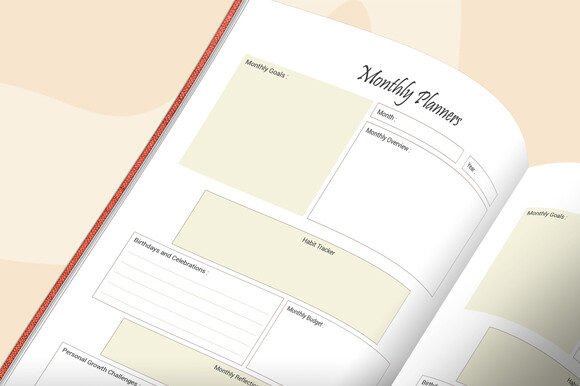
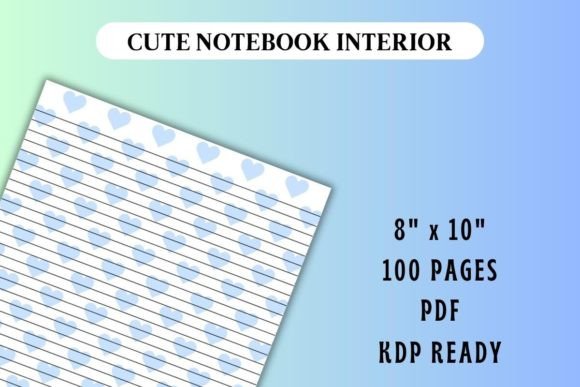
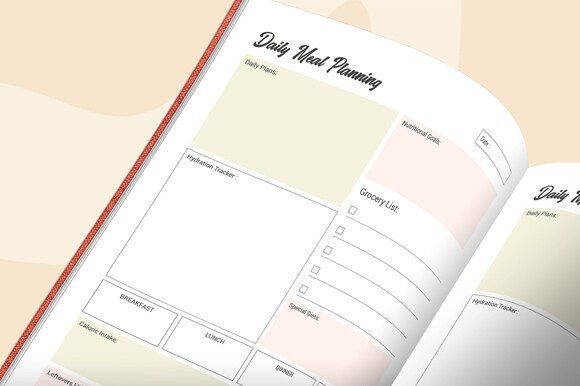
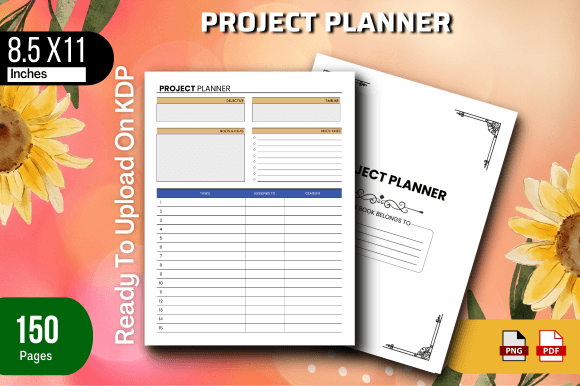
At its core, a project planner interior for Kindle Direct Publishing is a pre-designed, fully formatted digital file that contains the internal pages of a planner book. Instead of staring at a blank InDesign or Canva document and trying to figure out where the page numbers go, how to set up mirrored margins, or whether your file will pass Amazon's automated checks, you receive a complete PDF that is already built to specifications. The particular package discussed here includes a ready-to-upload PDF file sized at 8.5 x 11 inches with 150 total pages, tested on Amazon KDP to ensure it meets their quality requirements, and a PNG image included as a bonus visual asset.
This is not a printable that you have to heavily modify. It is an interior file you can upload directly to your KDP dashboard, assign a cover, fill in your book details, and publish. For someone who wants to launch a project management planner, a business organizer, or a personal productivity journal, this kind of resource significantly lowers the barrier to entry.
The Real Challenges Self-Publishers Face Without a Ready-Made Interior
Understanding the value of a project planner interior for KDP starts with recognizing the common obstacles that slow down or derail publishing efforts. Time is often the biggest factor. Designing a 150-page planner from a blank canvas can take days or weeks, especially if you are learning layout software as you go. Even with templates inside Canva or PowerPoint, getting every element to align consistently across that many pages is tedious.
Technical compliance is another hurdle. Amazon KDP has specific requirements for trim size, bleed, margins, and file resolution. A single misstep—such as text too close to the edge or incorrect page dimensions—can result in a rejection during the review process. Rejections mean delays, and repeated rejections can be disheartening. There is also the cost factor. Hiring a professional layout designer for a custom 150-page interior can run into hundreds of dollars, which may not be feasible for someone testing a new planner idea or building their first low-content book business.
Then there is the confidence gap. Many capable people hesitate to publish because they are not sure their file is “good enough.” They worry about how the printed book will look in a customer's hands. A Project Planner Interior for KDP that has already been tested on the platform removes that uncertainty. You know the file works, you know the dimensions are correct, and you can preview exactly how it will appear before a single copy is sold.
How a Ready-Made Interior Helps You Solve These Problems
The primary benefit is speed to market. Instead of spending weeks on formatting, you can take a tested PDF, potentially add your branding or minor customizations, and have a live listing within a day or two. For entrepreneurs who want to build a catalog of planners around different niches—project management, event planning, construction projects, creative workflows—this acceleration matters. Each additional title can be deployed faster because the foundational interior structure is already built.
Quality assurance is built in. Because the file has been tested on Amazon KDP, you skip a significant portion of the trial-and-error phase. The margins are set correctly for the 8.5 x 11 trim size. The page count of 150 pages provides substantial room for planning without being unwieldy to print and bind. The file is formatted to Amazon's print specifications, which means fewer rejection notices and a smoother approval path.
There is also a psychological benefit to working with a finished product. Opening a clean, professionally structured interior allows you to see the planner as a real product rather than an abstract project. This clarity can sharpen your marketing message, help you design a more fitting cover, and give you the confidence to promote your book knowing the interior will meet customer expectations.
Practical Applications Across Different Types of Users
A Project Planner Interior for KDP is versatile enough to serve many publishing goals. Consider how different users might approach it.
Business coaches and consultants often want to offer clients a tangible tool that reinforces their methodology. A project planner that walks someone through goal setting, milestone mapping, task breakdown, and progress tracking can become a branded extension of a coaching program. With a ready interior, the coach can focus on writing instructional prompts and customizing page headers without reinventing the structural wheel.
Freelancers and solo entrepreneurs who build low-content and medium-content book businesses benefit from the ability to quickly spin up new titles. They might take the 150-page interior, create multiple variations with different cover designs for different niches—software development project planners, home renovation planners, wedding project organizers—and build out a product line that shares a common, reliable interior foundation.
Corporate trainers and team leaders may adapt a project planner interior to create internal resources. While KDP is a public marketplace, the same file can sometimes be used for private print runs if licensing allows. A team lead hoping to give their department a consistent project kickoff tool can modify the interior and have it printed for internal distribution, saving the organization design costs.
Creative professionals such as authors, artists, and event planners can use the structure to organize complex, multi-phase projects. Publishing a planner that speaks directly to fellow creatives—with space for ideation, resource lists, timeline drafting, and reflection—meets a real demand. The project planner interior becomes a product that they can sell while also using in their own workflow.
What to Look for When Choosing a Project Planner Interior for KDP
Not every ready-made interior offers the same level of reliability or ease of use. Several practical considerations can guide your selection and help you avoid disappointment.
Confirmed KDP testing is essential. The fact that the files in this package have been tested on Amazon KDP to ensure quality means you are not inheriting someone else's formatting errors. Ask or verify that the seller has actually uploaded and approved a title using the file. A tested file saves you the frustration of discovering margin creep or font embedding issues after you have already invested time in customization.
Trim size compatibility matters for both cost and customer perception. The 8.5 x 11 inch format is a standard letter size that readers are comfortable with. It offers generous writing space, which project planners especially benefit from because they often require notes, sketches, and detailed breakdowns. This size also keeps printing costs at a predictable level, helping you set a competitive retail price.
Page count and structure affect perceived value. At 150 pages, this interior provides enough depth for a meaningful planning experience without becoming so thick that the book feels cumbersome or the printing cost spikes too high. The internal layout should support the flow you want—whether that means undated pages for year-round use, consistent section breaks, or dedicated spaces for different planning stages.
Included assets like the PNG image can be quietly valuable. You might use it for creating promotional graphics, A+ content on your Amazon listing, social media posts, or even as an element within your cover design. Having a visual asset ready to go reduces the need to create marketing materials entirely from scratch.
Making the Most of Your Project Planner Interior
Once you have the interior file, a few deliberate steps can help you get a stronger result and a better customer experience.
Customize the page flow thoughtfully. Even if the PDF is ready to upload as-is, you may want to rearrange or remove certain pages to better align with your theme. Read through the planner from the perspective of your ideal user. Does the progression feel natural? Would a brief introduction page at the beginning help users understand how to work with the planner? Small additions like these can elevate a generic product into something that feels personal and purpose-built.
Pair it with a compelling cover. The interior does the heavy lifting for functionality, but the cover is what gets the click. Invest time in a cover that clearly communicates the planner's purpose. If your project planner is meant for construction project managers, the cover imagery and typography should reflect that world. If it is for creative agency project leads, a different visual language applies. The interior remains the same reliable structure, while the cover speaks to the specific audience.
Consider the unboxing and first-impression experience. When a customer receives your planner, they will flip through the pages before writing a single word. The consistency, cleanliness, and usability of the layout all contribute to whether they feel excited to use it—and whether they leave a positive review. A well-crafted Project Planner Interior for KDP sets the stage for that positive first impression.
Why Starting With a Proven Interior Changes Your Publishing Trajectory
Many self-publishers start with a great idea and spend months trying to execute it perfectly, only to burn out before the product ever reaches the marketplace. A ready-made interior flips that pattern. You begin with a working product and spend your energy on differentiation, marketing, and audience connection—the activities that actually generate sales.
This approach also reduces the cost of experimentation. If you are considering launching planners in multiple sub-niches, you can test the waters with a lower upfront investment. The 150-page, 8.5 x 11 interior file works across many project types, so you can run several covers and keywords without paying for new interiors each time. Data from those early listings can then guide which niches are worth deeper investment.
The PNG image included in the package is an example of a small asset that often goes overlooked but can be repurposed effectively. Use it in your listing images to show the interior style, incorporate it into a product mockup, or feature it in social content that drives traffic to your Amazon page. These small efficiencies add up across multiple titles.
Bringing It All Together
Publishing on Amazon KDP should be accessible, not bogged down by technical formatting hurdles. A Project Planner Interior for KDP like the one described—a ready-to-upload PDF file, 8.5 x 11 inches, 150 total pages, tested on Amazon KDP with a PNG image included—gives you a reliable starting point. It addresses the real-world challenges of time drain, technical complexity, and confidence gaps that keep talented creators from publishing. Whether you are a coach wanting to offer clients a tangible resource, an entrepreneur building a portfolio of planners, or a creative professional solving your own project management needs while building a product for your peers, this kind of interior helps you move from concept to published book with less friction and more focus on what truly matters: delivering value to the reader.