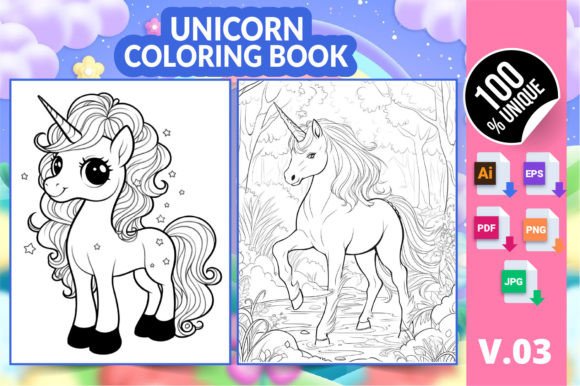
Unicorn Coloring Book KDP Interior V03: A Practical Guide to Streamlining Your Content Publishing Workflow
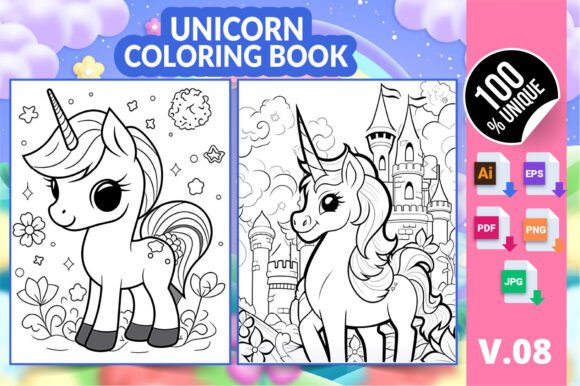
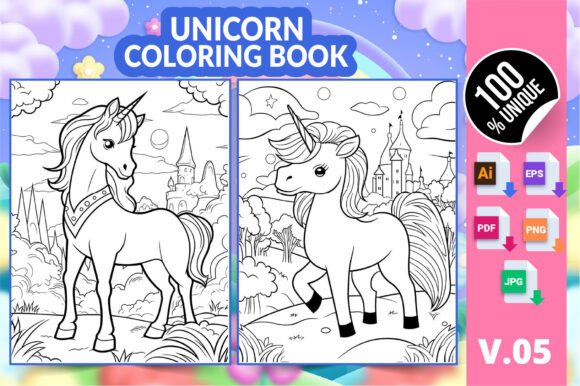
Publishing a coloring book on Amazon KDP involves more than just raw creativity. You need reliable, print-ready interiors that save time and eliminate technical guesswork. The Unicorn Coloring Book KDP Interior V03 is a ready-to-use digital asset specifically built for this purpose. It contains six distinct unicorn-themed coloring pages formatted for 8.5 x 11 inch trim size, the most popular standard for paperback coloring books. When you integrate this kind of pre-tested interior into your publishing process, you cut down the back-and-forth of file conversion, margin adjustments, and resolution checks. The product includes multiple file formats — AI, EPS, PDF, PNG, and JPG — so you can slot it into almost any design or upload workflow without friction. For creators, marketers, educators, and small business owners who need consistent, commercial-grade artwork that can be customized and listed quickly, this asset functions as a core productivity tool, not just a set of pretty images.
What Makes This KDP Interior Different From Random Clip Art
Many people start with free or generic vector art only to hit formatting walls when uploading to KDP. This interior is pre-configured and fully tested on the platform, which removes the ambiguity around bleed, safety margins, and file compatibility. It arrives as a ZIP archive containing carefully organized subfolders. The inclusion of editable AI and EPS files means you can adjust line weights, remove elements, or combine pages into a larger manuscript without rebuilding from scratch. The high-resolution PNG and JPG versions let you quickly preview, create mockups, or use individual pages for marketing materials. Unlike scattered downloads that come in inconsistent sizes, all six pages here share the same 8.5 x 11 inch dimensions and visual style, giving your final book a cohesive, professional look with minimal effort.
Where This Unicorn Coloring Book Fits Into Your Broader Publishing Plan
Entrepreneurs and KDP publishers often maintain a production calendar. You might plan seasonal launches, niche-specific titles, or follow trends in children's activity books. A ready-made interior like the Unicorn Coloring Book KDP Interior V03 can serve as:
- A standalone low-content book if you add a cover and upload as-is
- A supplementary section inside a larger workbook that mixes puzzles, mazes, and coloring pages
- A sample pack used for marketing lead magnets — you give away a few printable pages to build your email list
- A template set for educators creating classroom relaxation materials or art therapy prompts
Because the product targets both adults and children, its appeal is broad enough for multiple sub-niches. You can position the book as stress relief for working professionals, a screen-free creative activity for kids, or even a fun party favor printable for event planners. The flexibility of the formats makes it easy to repurpose the same six illustrations across different products, provided you check the extended licensing terms.
Preparing Your Workspace Before Using The Files
Jumping straight into upload can work, but a few preparatory steps maximize the value of the asset. First, organize the unzipped folder so the AI, EPS, PDF, PNG, and JPG versions sit inside a master project folder labeled clearly — for example, "Unicorn_Coloring_Book_V03_Project." This small act of digital housekeeping saves time later when you need a specific format for Amazon's cover creator, an Adobe Illustrator refinement, or a quick social media teaser. Next, open the PDF review file and scroll through all six pages. Check for any personal preferences: you might want to lighten grayscale tones, add borders, or include a "This page belongs to" line. With the AI or EPS file, you can make those adjustments non-destructively. Because the dimensions are already at 8.5 x 11 inches, you avoid the common pitfall of resizing artwork that was originally created for a different trim size, which often introduces clipping or blurring.
Integrating With Your Existing Design and Formatting Tools
The format diversity is a strategic advantage. Here's how different tools interact with each file type in a realistic publishing pipeline:
- Adobe Illustrator (AI) and EPS: Use these for extensive editing — changing line art, combining pages into one document, adding text instructions, or creating a bleed area if your book requires it. If you're compiling a 100-page book, you can duplicate and arrange these pages as master templates.
- PDF: Often the fastest route to KDP upload. A properly saved PDF with embedded fonts and high-resolution images passes KDP's automated checks without errors. Test it with Amazon's previewer before finalizing.
- PNG: Transparent background versions are ideal for creating product images or lifestyle mockups. You can overlay the coloring page onto a photo of a book spread, or use it in Canva for social media graphics.
- JPG: Flat background files are lightweight and widely accepted by print-on-demand platforms beyond KDP, such as Etsy printables or Lulu.
Many publishers use a combination: they edit in Illustrator, export a high-quality PDF for KDP, and simultaneously pull PNG images into a marketing presentation. Having all formats ready eliminates the need to convert and re-check each time you switch tasks.
Organizing And Reusing The Unicorn Pages Long-Term
One-time-use thinking limits the return on your investment. Treat the Unicorn Coloring Book KDP Interior V03 as a reusable module in your content library. Create a master "Coloring Pages" repository on your hard drive or cloud storage with subfolders by theme: animals, mandalas, fantasy, holidays. Store the original ZIP and the extracted files here. If you ever release a seasonal unicorn edition — say, "Unicorn Christmas Coloring" — you can take the existing AI pages and overlay festive elements. You can also rotate pages across different books targeting different age groups by simply changing the description and cover. For educators, these pages become part of a digital resource bank; you can print them for classroom use, embed them in therapy worksheets, or incorporate them into a relaxation journal. The key is consistency in file naming and metadata, so you can find and deploy the assets again without searching through hundreds of downloaded graphics.
Quality Control Checks Before You Publish
Even with a tested KDP interior, each new upload benefits from a quick quality pass. Open the PDF in Adobe Acrobat and confirm that all fonts (if there are any embedded titles or watermarks) appear correctly. Zoom to 400% on a few random areas to verify that the line art remains crisp — not pixelated. The product is high-resolution, but if you've scaled anything during editing, double-check. Print one page on a standard home printer to feel the paper and see if the lines are dark enough for coloring. Light, faint lines can frustrate users. Finally, run the file through Amazon's KDP Previewer to catch any margin or alignment issues. Because the pages are standardized at 8.5 x 11 inches, they generally fit exactly without warning messages, but if you add page numbers or headers, you might inadvertently alter the margins. These five minutes of validation protect your book's reviews from avoidable complaints about print quality.
Workflow Example: From Unzipping to a Live KDP Listing
A practical walkthrough reveals how the asset streamlines your day. Suppose you plan to launch a short 16-page coloring book. The unicorn interior provides six pages. You can pad the book with six additional pages of a complementary theme — perhaps floral or star patterns — and two lined note pages, creating a balanced mix. You unzip the file, open the PDF, and use a PDF editor to insert your bonus pages. You save the combined file as a single PDF. In Canva or Photoshop, you design a cover that features one of the unicorn illustrations (pulled from the PNG folder) as the main focal point. You write a description highlighting the dual appeal for adults and kids. You set your pricing based on comparable books in the niche. After a final previewer check, you upload and hit publish. The whole process, from decision to listing, can be completed in under two hours because the interior's technical foundation is already solid. Compare this to hand-drawing, scanning, digitizing, and correcting six pages yourself — a process that can stretch over days and often stalls at the formatting stage.
How This Digital Product Supports Different User Profiles
The same asset serves multiple goals, depending on who you are:
- KDP beginners: You get a low-risk entry point to learn the upload process without creating artwork. The multi-format bundle teaches you which file types work best for Amazon's system.
- Experienced publishers: You expand your catalog quickly, perhaps targeting underserved unicorn-themed sub-niches like "Unicorn Coloring Book for Teen Girls" or "Magical Creatures Relaxation." You can also use the interior as a template to instruct outsourced designers, showing them exactly the style and layout you want for future books.
- Educators and therapists: You receive printable resources that require no attribution or additional design work. You can insert the individual PNG files into lesson plans, mindfulness handouts, or activity binders. The high resolution means they remain clear when projected on a screen during a group session.
- Etsy and printable sellers: You can list the six-page set as a digital download directly on craft platforms, provided you follow the commercial rights included. The JPG and PDF versions are ready for instant delivery.
Maximizing Consistency Across Your Brand
When you build a brand around coloring products, visual cohesion signals professionalism. The Unicorn Coloring Book KDP Interior V03 gives you six pages from a single artistic style, making it easy to create a series. You could release Volume 1, Volume 2, and Volume 3 by mixing and matching unicorn illustrations from different sources, but unifying the style within each book is crucial. These six pages feel like they belong together, which reduces the chance of negative reviews citing inconsistent artwork. If you plan to expand the series, consider purchasing similar interiors from the same creator or stylistic family, so future volumes maintain the same line art density, expression, and whimsy. Internally, you can also standardize your book interiors: always 8.5 x 11 inches, always a border or no border, always a single-sided printing recommendation. This operational consistency reinforces your brand identity and makes repeat buyers comfortable.
Adapting The Pages For Different Market Segments Without Redesigning
With the editable AI and EPS files, you can tailor the complexity of the illustrations. For an adult coloring audience, you might keep the intricate details as-is and market the book for mindfulness and stress relief. For young children, you can simplify the outlines — removing small, fiddly elements that might frustrate a five-year-old — and print the pages on one side only to prevent bleed-through if they use markers. The PNG files can be rearranged into a "Color and Cut" activity where children color the unicorn, then cut it out for a craft. Selling on multiple platforms (KDP, Etsy, Teachers Pay Teachers) often requires slight format tweaks; you might need a square cover for Etsy or a watermark-free PDF for TPT. Starting from editable master files makes these adaptations trivial rather than a full recreation.
Planning For Seasonal And Themed Promotions
Coloring books often spike during holiday seasons, back-to-school, or gift-giving periods. Because the unicorn theme is perennially popular and not tied to a specific holiday, you have year-round viability. However, you can still time your promotions. For example, in late November, you can bundle this interior with a Christmas-themed page set and market it as a "Holiday Unicorn Fun Pack." Around Valentine's Day, you might add heart-shaped frames to the unicorn pages using the AI editor, creating a limited-season edition without redrawing anything. Small tweaks like these keep your catalog fresh while reusing the core asset. This approach aligns with lean content production — maintaining a high output with minimal effort by repurposing proven assets.
Maintaining High E-E-A-T Standards In Your Product Listings
Google's concept of Experience, Expertise, Authoritativeness, and Trustworthiness applies not just to web content but also to how you present your KDP titles. When you use a professionally designed interior like the Unicorn Coloring Book KDP Interior V03, you demonstrate a level of quality that respects the buyer's experience. Your product description can highlight that the pages are tested for printability, that the files are high resolution, and that the artwork suits multiple ages. Include a genuine note about why you chose this particular unicorn style — perhaps its calm, whimsical nature — to connect with your audience. Avoid overpromising; instead, state clearly that there are six unique designs, the paper size, and that it is suitable for both colored pencils and crayons. This factual, experience-backed listing builds trust, leading to better reviews and higher conversion rates. Over time, as your catalog grows, each well-reviewed book strengthens your author brand.
Long-Term Asset Management And Future-Proofing
Digital assets can degrade in usability if you lose track of original files or platforms change their requirements. To future-proof your investment in this unicorn interior, keep the source AI and EPS files backed up in at least two locations. KDP's specification for PDF has remained stable for years, but if Amazon ever requires a different standard, having the original editable vectors means you can re-export to any necessary format without quality loss. Similarly, as you branch out into other print-on-demand services like IngramSpark or print-on-demand for hardcover, you will likely need slight margin adjustments or a different bleed setting. The editable files are your insurance policy against obsolescence. This mindset — treat assets as long-term intellectual property rather than quick fixes — separates hobbyist sellers from serious publishers who build sustainable income streams.
Final Practical Considerations For Daily Implementation
Integrating ready-made interiors into your workflow is a strategic decision, not a shortcut. It frees up your time to focus on areas that machines can't replicate: market research, customer engagement, cover design psychology, and niche selection. When you sit down to work on your next book, having the Unicorn Coloring Book KDP Interior V03 already formatted and waiting means you can move from idea to proof in one sitting. Keep a running list of complementary niches — mermaids, dragons, fairies — and source similar ready-to-use interiors for efficiency. Set a folder structure that all collaborators can understand. Spend the time you save on writing better book descriptions, running A/B tests on your cover, or building a simple author website. Small habits like pre-flighting each PDF before upload and keeping a changelog of file modifications will compound into a seamless, professional publishing rhythm that scales well beyond your first few titles.