Unicorn Notebook Journal Vol.03: Smart Choices for a Flawless KDP Interior
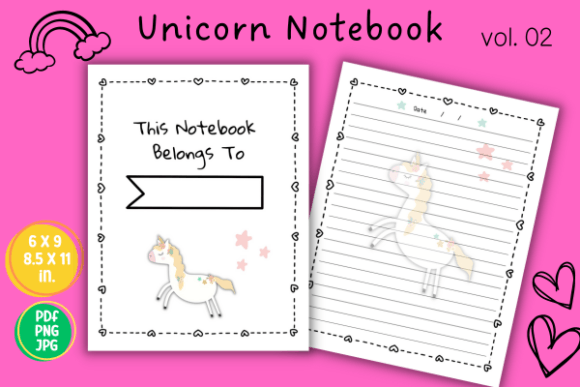
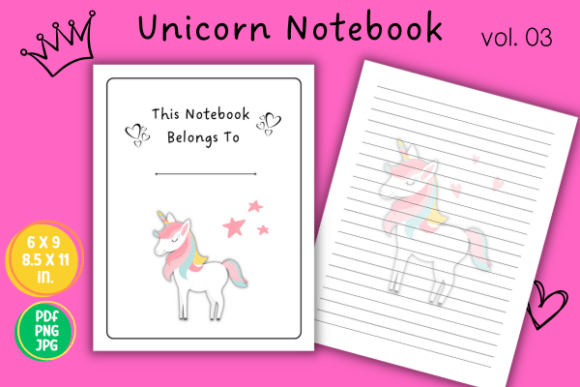
When you’re preparing a low-content book for Amazon KDP—especially something as charming as a Unicorn Notebook Journal Vol.03—the difference between a bestseller and a forgotten listing often comes down to how well you handle the printable interior. This isn't just another cute, lined unicorn notebook. You receive two ready-to-print PDF files in 6x9 and 8.5x11 inches, along with JPG and PNG formats, all without bleed. It includes a dedicated "This notebook belongs to" page and a clean lined page layout, spanning 120 pages. Yet many creators unknowingly make small errors that undercut the entire project. Let’s walk through the overlooked details so you can avoid them from the start.
Not All “No Bleed” Interiors Are Created Equal
A common misunderstanding with ready-made KDP interiors is assuming that “no bleed” means nothing can go wrong during printing. With Unicorn Notebook Journal Vol.03, the files are already formatted without bleed, so you don't need to add extra margins. But some people still upload these PDFs into bleed-compatible templates or resize them incorrectly in KDP's cover creator, causing unexpected white edges or misalignment. The result? A book that looks off-center, which can irritate customers who expect clean pages.
What to do instead: When you open the 6x9 or 8.5x11 PDF in your KDP dashboard, make absolutely sure the trim size matches exactly. KDP will prompt you to select "no bleed" if the interior was designed that way—don't override it. Double-check the previewer for edge placement of the lines and the ownership page. A quick, free step that saves returns.
The 120-Page Illusion: Why Page Count Matters More Than You Think
It’s tempting to assume 120 pages is a safe, standard count. But in the low-content world, Amazon calculates printing cost per page. If your cover design implies a thicker notebook but the interior is only 120 sheets, customers might feel shortchanged. That disconnect between expectation and reality can lead to poor reviews—even if your product is otherwise great. The Unicorn Notebook Journal Vol.03 strikes a balance, but it’s on you to communicate the page count clearly in your descriptions and mockups.
Tip: Never rely solely on the interior file’s page number to set expectations. Show a physical mockup or note "120 pages of lined paper" prominently. If your target audience—busy professionals, students, or hobbyists—searches for a “thick journal,” they’ll appreciate the clarity. Misleading thickness is one of the fastest ways to tank your average rating.
You’re Sitting on Two Sizes—Don’t Use Just One
A surprising number of KDP sellers download a bundle like this and only ever list the 6x9 variant. They overlook the 8.5x11 version, which appeals to a completely different buyer segment. The Unicorn Notebook Journal Vol.03 gives you both, and each size solves unique needs. A 6x9 notebook is portable and purse-friendly, perfect for on-the-go journaling. An 8.5x11 version feels more like a workbook or school supplement, ideal for detailed note-taking or creative brainstorming.
By ignoring the larger format, you leave money on the table and reduce your chance to rank for size-specific searches. Someone typing “8.5x11 unicorn journal” into Amazon will never see your product if only the 6x9 edition exists. Create separate listings or at least offer the other size as a variation. Use the print-ready JPG and PNG files to design distinct covers that highlight the size difference.
JPG and PNG Files: Hidden Gems You’re Probably Ignoring
The downloadable package includes JPG and PNG files of each page, but many creators never touch them. That’s a strategic miss. These image formats let you create social media previews, advertising banners, or even additional printable products like single-sheet practice pages for Etsy. You can extract the "This notebook belongs to" page and share it as a freebie to build an email list. Or use the lined page PNG to overlay on lifestyle mockups without needing complex software.
However, a frequent error is treating these images as ready-for-print at any size. If you enlarge a JPG too much for a poster, it may pixelate. Stick to digital sharing, web previews, or small physical prints like stickers. For anything bound for KDP, always use the provided PDFs—they’re vector-scalable and press-ready.
The “Belongs To” Page Deserves Real Attention
The Unicorn Notebook Journal Vol.03 comes with a charming ownership page. Many publishers treat it as a throwaway, but it’s often the first thing a customer sees when opening the book. A poorly placed ownership page—too close to the binding, text cut off—creates immediate buyer’s remorse. Since the interior has no bleed, you must ensure your cover design allows for KDP’s recommended inside margin, especially on the left side.
Practical check: Before publishing, download a digital proof or order a printed proof. Flip to that first page. Is the “This notebook belongs to” text easy to write on when the book is open? If the gutter swallows half the name line, adjust the PDF’s left margin slightly (if editable) or consider a wider cover crease. Small tweaks make the user experience feel premium, not cramped.
Lined Page Consistency: Why Homemade Tweaks Backfire
Occasionally, someone will try to “improve” the lined page by adding faint unicorn silhouettes behind the lines or changing the ruling to wide spacing. That undermines the original design’s clean, distraction-free purpose. The supplied lined page in Unicorn Notebook Journal Vol.03 is intentionally simple because it supports handwriting practice, meeting notes, or daily journaling without visual noise. Over-customization can make the interior feel cluttered, or worse, misalign objects on the page.
If you want to differentiate, focus on the cover and bonus content (like a habit tracker or coloring page at the back) rather than altering the core lined pages. Keep those 120 pages uniform—your customers expect a consistent notebook, not a craft project.
Don’t Let “Print Ready” Make You Lazy
The phrase “print ready” is dangerously seductive. Even though this unicorn notebook interior is genuinely prepared for Amazon KDP, you still need to verify resolution, embed fonts (if any), and ensure no stray elements sit outside the trim. The included PDFs are likely flattened and error-free, but if you open them in an editor and accidentally move a text box, you could introduce a subtle shift that only shows up on the printed page.
An overlooked detail: KDP’s automatic conversion can sometimes interpret transparent PNGs unintentionally during the PDF upload. If you’re mixing formats or adding a custom page, always re-export as a print-ready PDF with all layers flattened. When in doubt, stick to the original files as delivered—they’ve been tested for that exact purpose.
Realistic Example: The Rushed Launch
Consider a freelance designer who buys the Unicorn Notebook Journal Vol.03 and uploads it to KDP within 20 minutes. They pick 6x9, slap a glittery cover on, and hit publish. Two weeks later, a one-star review complains pages are too small for the cover art because the designer never checked the preview. Meanwhile, they missed using the 8.5x11 version that would have matched the cover better. A simple fix: slow down. Match the cover template to the exact interior size from the very beginning. Use Amazon’s online previewer to click through every page. This takes only a few extra minutes and prevents a damaged launch.
Better Approach: Testing Before You List
Instead of diving straight into publishing, treat the Unicorn Notebook Journal Vol.03 as a prototype. Print a few pages at home if you have a printer, or use a local print shop to produce a quick saddle-stitched sample. You’ll immediately feel whether the line spacing is comfortable, if the ownership page invites personalization, and how the paper weight thickness feels. That tactile feedback often reveals small but fixable issues before customers ever hold the book.
Also, run a quick survey or ask a few friends—especially those who fit your target demographic like educators or hobbyists—to jot down a to-do list on the printed page. Their comments might highlight things you’d never notice, like “the lines are too dark” or “the page number would be helpful here.” While the interior doesn’t include page numbers, you could add them manually for a value-add. Just don’t alter the core lined structure without careful testing.
What to Check Before You Commit
Before you finalize your KDP listing using Unicorn Notebook Journal Vol.03, walk through this simple checklist:
- Trim size confirmation: Are both 6x9 and 8.5x11 options set correctly in your KDP dashboard? Double-check no "bleed" is selected.
- Ownership page visibility: Does the design leave enough margin near the gutter for easy writing?
- Page count transparency: Is "120 pages" clearly stated in the description, not just in the product features?
- File format usage: Are you using the PDF for KDP and reserving JPG/PNG for promos? Avoid mixing them inside the book.
- Cover-to-interior harmony: Does the cover style match the interior size? Bright, large illustrations suit 8.5x11, while delicate motifs may shine on 6x9.
- Proof order: If possible, order a physical proof. It’s the only way to catch binding issues.
The Silent Value of a “Cute, Lined Unicorn Notebook” Done Right
There’s a reason unicorn-themed low-content books remain popular—they tap into nostalgia, creativity, and everyday organization. But the market is flooded. The sellers who thrive are those who treat the Unicorn Notebook Journal Vol.03 not as a generic drop-in, but as a carefully chosen interior that supports their entire brand. By avoiding the missteps above, you present a product that feels polished and intentional. Your customers won’t consciously know why they prefer your notebook over a competitor’s, but their fingers will recognize the smooth margin, the well-spaced lines, and that satisfying first page where they can proudly write their name.
Use the two sizes strategically, lean on the included image files for marketing, and always validate the print output. When you take these extra steps, a simple lined unicorn notebook turns into a repeat-buy favorite—and that’s exactly where long-term KDP success lives.