Business Planner to Streamline Operations & Growth
Running a business without a clear planning structure often means important details slip through the cracks. A well-designed Business Planner doesn’t just store information—it creates a repeatable system that can reduce daily overwhelm, clarify priorities, and keep every operational thread visible at a glance. The printable interior designed for Canva and KDP bridges the gap between digital flexibility and the tangible focus that many entrepreneurs, freelancers, and small business owners actually need.
Why a Dedicated Business Planner Matters More Than Generic Notebooks
Generic notebooks work for jotting down quick thoughts, but they rarely support the layered workflows that actual business management demands. A purpose-built business planner groups related tasks and metrics so you spend less time searching through scattered notes or multiple apps. Instead of flipping between a random bullet journal and a spreadsheet, you have a coherent home for daily priorities, financial snapshots, sales activity, and content calendars.
The interior covered here is especially practical because it was created with both professional and casual use in mind. You might be a seasoned KDP publisher looking for a ready-to-use interior to customize and sell, or a solo entrepreneur who wants to print selected pages and bind your own management system. In either case, the value lies in having already thought-through templates that cover the operational rhythms of a product-based business, a service business, or a side hustle that’s scaling up.
How Structured Layouts Support Clearer Decision-Making
Ambiguity often leads to procrastination or reactive choices. When you sit down with a well-organized page dedicated to an annual overview, a monthly calendar, and a weekly planner, you naturally transition from vague intentions to concrete actions. The planner encourages you to move through time horizons: the annual overview frames the big picture, the monthly calendar captures key dates and milestones, and the weekly planner turns those into daily assignments.
What makes this particular set stand out is the balance between forward planning and retrospective tracking. You get goal action plans and to-do lists for proactive direction, matched with end-of-month reviews and online statistics pages that prompt honest evaluation. This isn’t just about filling boxes; it’s about creating a feedback loop that helps you understand what’s working in your business and where small adjustments could yield better results.
Turning Operational Chaos Into Trackable Workflows
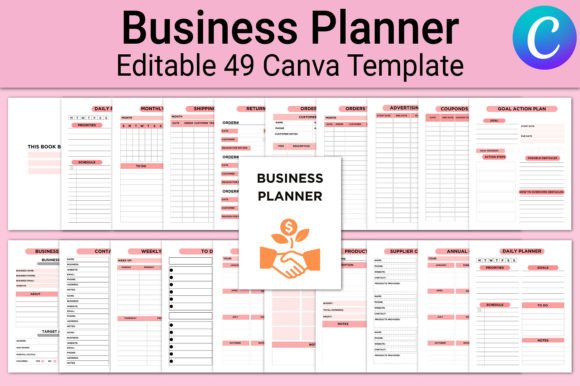
Many small business owners lose hours each week trying to reconstruct orders, returns, shipping details, or supplier communications. The planner interior bundles specific trackers that directly address those pain points. For example:
- Sales tracker and orders tracker give you a single view of revenue movement without logging into multiple platforms every time you need an update.
- Shipping tracker and return tracker keep customer fulfillment organized, reducing the chance of missed follow-ups.
- Supplier contact list and product inventory pages let you quickly reference reorder points and vendor details during busy restocking periods.
- Bill tracker, expense tracker, and income tracker create a basic financial cockpit that is especially useful for those not yet using complex accounting software.
The practical outcome is less mental clutter. Instead of holding dozens of operational fragments in your head, you offload them onto structured pages. This can improve response times to customers, help you catch discrepancies earlier, and make tax preparation less stressful because your financial trail is already organized by category.
The Role of Marketing and Social Media Planning
Marketing consistency is often the first thing to stall when operations get busy. The planner includes dedicated pages that address this gap directly. An advertising tracker helps monitor campaign performance and spending, while the social media planner and post planner give you space to map out content themes, publishing dates, and platform-specific notes.
Having these alongside your operational trackers is especially valuable for solopreneurs who wear multiple hats. You might move from checking your product inventory to planning a week’s worth of Instagram content without switching contexts entirely. The coupons discounts and campaign tracker pages further connect promotional activity to actual sales, so you can more accurately attribute results and refine offers over time.
This integration is not about replacing sophisticated marketing tools; it’s about providing an analog or printable anchor that keeps your strategy visible. For visual thinkers, seeing the monthly marketing rhythm spread across a physical page often leads to better alignment between promotional efforts and the rest of the business calendar.
Editable Canva Templates and True Print-Ready Flexibility
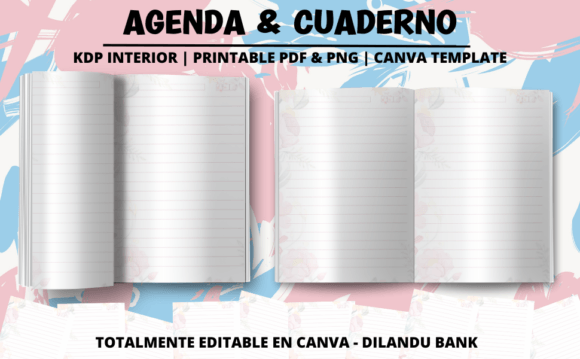
A significant advantage of this business planner interior is that you receive both high-quality print-ready PDF files and a link to editable Canva templates. This dual format matters because different users have wildly different needs. A KDP publisher can take the ready-to-upload PDF and quickly create a bound planner to sell. Meanwhile, a business coach or workshop facilitator might open the Canva link to tweak headings, add branding, or rearrange sections to match a specific program.
The files are prepared at 8.5×11 inches, a common and practical trim size that fits standard binders or print-on-demand paperback dimensions. You also get JPG and PNG versions, which are handy for those who want to import individual pages into digital planning apps like GoodNotes or Notability. Instead of being locked into a single format, you can adapt the interior to whichever medium fits your workflow or your audience’s preferences.
Having editable access via Canva also means the planner can grow with your business. If you start out focused on physical products but later add services, you can duplicate a tracker or rename a section without rebuilding everything from scratch. This kind of design ownership reduces the friction of scaling or pivoting your business format.
Who Gains the Most From This Type of Planner
While the interior is broad enough to suit many business types, certain users will notice an immediate fit. Small product-based businesses—whether selling handmade goods, curated subscription boxes, or print-on-demand merchandise—tend to align naturally with the product planner, inventory tracker, shipping, and return pages. The inclusion of a product evaluation page further supports quality control and assortment planning.
Service providers and freelancers often benefit from the organized contact list, password tracker, and goal action plan sections. Keeping client details, login credentials, and project milestones in one physical location reduces the digital noise that can build up across email, project management tools, and notes apps.
KDP publishers and printable creators might find this interior particularly time-saving. Instead of designing planner pages from scratch, they get a tested collection that covers a wide range of business functions. The “Belongs to” page, consistent layout, and ready-to-ship file formats mean less production overhead and more time to focus on cover design, niche research, or marketing.
Even educators and bloggers who manage content schedules, affiliate partnerships, and small digital product lines can use the planner to keep editorial calendars and income streams visually organized without adding more screen time to an already digital-heavy day.
Using the Planner to Support Real Habits, Not Just Fill Pages
A common risk with any planner is filling pages enthusiastically for a few weeks and then abandoning them. The key is to integrate only the sections that serve your current reality. You might not need every single tracker on day one. Start with the daily or weekly planner, a to-do list, and one operational tracker that addresses your most immediate pain—perhaps orders tracking if fulfillment feels chaotic. Once that habit sticks, layer in the monthly review or campaign tracker.
The planner’s modular structure supports this gradual adoption. Because the PDF includes distinct pages rather than a rigid predated daily spread, you can print only what you need, arrange sections in your preferred order, or bind them seasonally. This flexibility helps the tool adapt to the ebb and flow of a real business rather than forcing you into a system that might not match your busy season or slower months.
Recognizing Fit and Possible Limitations
No single planner fits every possible use case. If your business relies heavily on complex CRM automations, detailed project management with Gantt charts, or real-time collaborative dashboards, a printable planner will complement rather than replace those digital systems. It works best as a strategic overview and a daily grounding tool, not as a substitute for dynamic software where many team members need simultaneous access.
Additionally, while the Canva editable link gives you substantial design freedom, users without any graphic design familiarity may face a small learning curve when modifying layouts. However, the pre-made templates are already polished, so you can use them as-is without ever opening the editor. Those who need a highly industry-specific tracking format—like detailed manufacturing batch logs or clinical appointment scheduling—should compare this interior against specialized vertical planners to ensure the right depth of fields.
Cost-conscious entrepreneurs might also consider that printing and binding can add up. The beauty of the digital file is that you pay once and use it repeatedly, but if you prefer a professionally bound physical copy every quarter, factor in printing expenses. Many users find the ability to print at home or use a local shop keeps costs manageable, especially when compared to pre-printed business planners that may include sections irrelevant to their model.
Practical Observations on Maintaining a Business Planner Long-Term
People who succeed with a printed business planner often treat it as a morning ritual or a weekly close-out practice. Five to ten minutes spent updating the daily page and checking the to-do list before email can shift the tone of the entire workday. The password tracker and contact list become genuinely useful when kept current, so a quick monthly audit of those pages prevents the frustration of outdated logins or lost vendor numbers.
The profit tracker, expense tracker, and income tracker also gain power through consistency. Even simple weekly entries let you spot trends early—perhaps a gradual increase in shipping costs or a seasonal dip in a specific product line—before those patterns become problems. When used alongside the monthly review and online statistics pages, the planner becomes a lightweight performance dashboard that doesn’t require logging into multiple analytics accounts just to get a quick pulse check.
An often-overlooked benefit is the mental separation between planning and executing. Because the planner is a physical tool (or a focused digital PDF on a tablet), it creates a deliberate pause away from notifications and emails. That pause can improve the quality of your goal setting and make your action plans more realistic, simply because you’re not drafting them amid the distraction of an open browser.
Ultimately, a business planner like this succeeds not because it contains an exhaustive list of pages, but because those pages mirror the real operational cycles that keep a business moving—order, fulfill, track, promote, evaluate, and adjust. When those cycles live in one organized space, you gain back the mental bandwidth that often gets lost translating between scattered tools and half-filled notebooks.